PRESETS IN THE BOX · PAGE COMING
SAi Flexi + PhotoPRINT
Both presets already ship (flexi-default.json, photoprint-default.json); the how-to page is next in line.
RIP compatibility
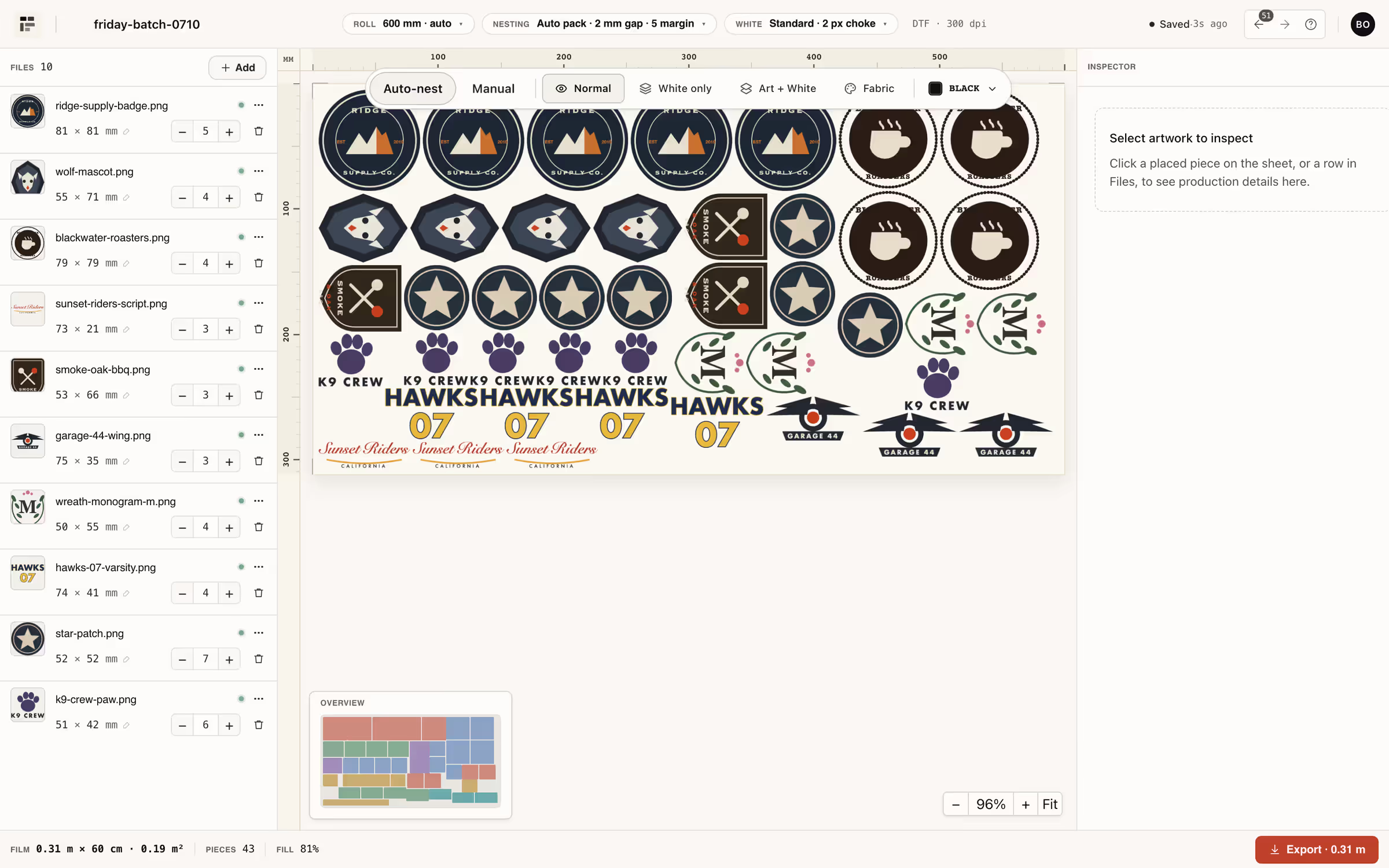
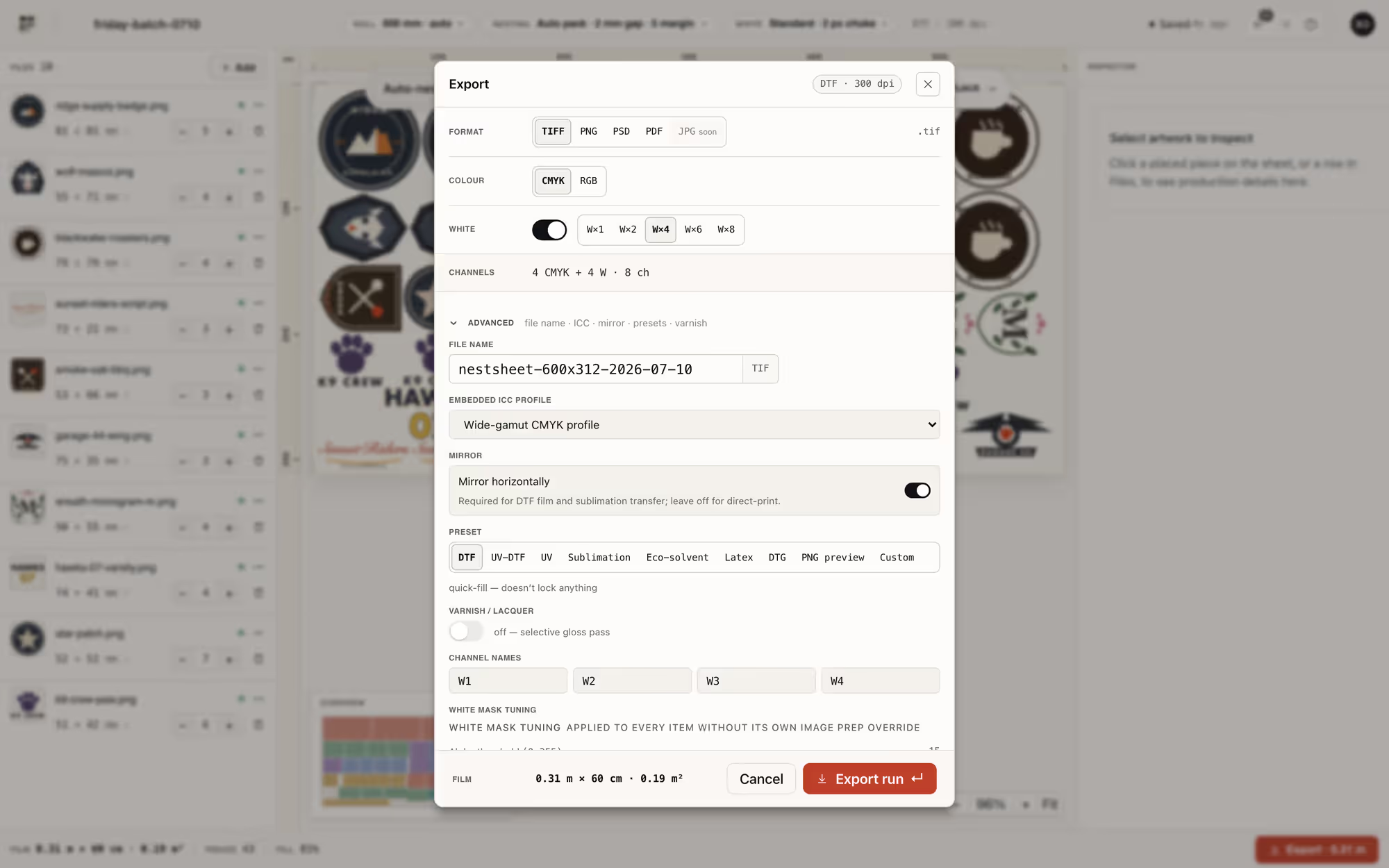
NestSheet is DTF prepress, not a RIP — it nests the sheet, builds or protects the white, and hands over a file your RIP opens first try: TIFF up to CMYK + 4 white + 4 varnish, PSD/PSB with real spot channels, PNG with clean alpha, or PDF.
The hand-off
Nineteen export recipes, every one shaped for a press pipeline rather than a design tool.
Two lanes
Every RIP hand-off is one of two workflows. Lane one: NestSheet builds the white. You export TIFF or PSD with real spot channels — white generated from alpha with choke you previewed (0–10 px, default 2), threshold, soft-hand or halftone — and the RIP maps the named channels to ink. This is the lane for shops that want the white decided, and visible, before the file ever leaves prepress.
Lane two: the RIP builds the white. You export a flat PNG with honest transparency, and the RIP derives the underbase from what is opaque. Here NestSheet’s job is boundary hygiene — binary alpha, no invisible pixels, no fringes — because the RIP will print exactly what the alpha says. The three presets in the box all run this lane, each with its own guard rails.
No named preset?
RIP not on the map? The box also ships generic-dtf.json — conservative defaults for unknown DTF RIP software: PNG, binary alpha at threshold 128, sRGB, mirrored, 300 dpi, and deliberately no RIP-specific tricks. Pair it with your RIP’s own manual for white generation, and rename the spot channels on the TIFF lane if your queue reads named channels.
That is the honest promise of this hub: not a certification programme, just files shaped the way press pipelines expect — and a preset that refuses to be clever when we have not studied your RIP.
The map
Three pages are live and written from the shipped presets. Four more are on the way — no page gets published before its facts are.
PRESET IN THE BOX
The name our default channel labels carry: W1–W8, MainTOP-style. PNG lane with binary alpha, plus a red gutter dot so an all-white export never leaves as an empty-looking file.
PRESET IN THE BOX
Clean-alpha PNG for Digital Factory’s transparency-driven white, plus the zip bundle shape for hot-folder ingestion.
PRESET IN THE BOX
Binary alpha at threshold 128 — the preset’s anti-halo rule — plus a gutter-dot fix for designs that are pure white.
PRESETS IN THE BOX · PAGE COMING
Both presets already ship (flexi-default.json, photoprint-default.json); the how-to page is next in line.
GENERIC PRESET HOW-TO · COMING
No named preset in the box — the coming page will document the Generic DTF hand-off and exact channel naming.
GENERIC PRESET HOW-TO · COMING
No named preset in the box — the coming page will document the Generic DTF hand-off and exact channel naming.
GENERIC PRESET HOW-TO · COMING
No named preset in the box — the coming page will document the Generic DTF hand-off and exact channel naming.
Keep going
Every preset and every export lane is on the Free plan. Drop real files, nest a real sheet, and open the result in your own RIP today.
TIFF · PNG · PSD spot channels · PDF W1–W8 / V1–V4 · renameable Free forever · no card